WhatsApp Export for Mac & Windows
Your WhatsApp history, saved for good.
Turn years of chats into pages you can read in any browser and spreadsheets you can search, with every photo, video and voice note. iPhone, Android and Mac. Nothing leaves your computer.
Free to try on your own chats. Full export from $14.99 a year.
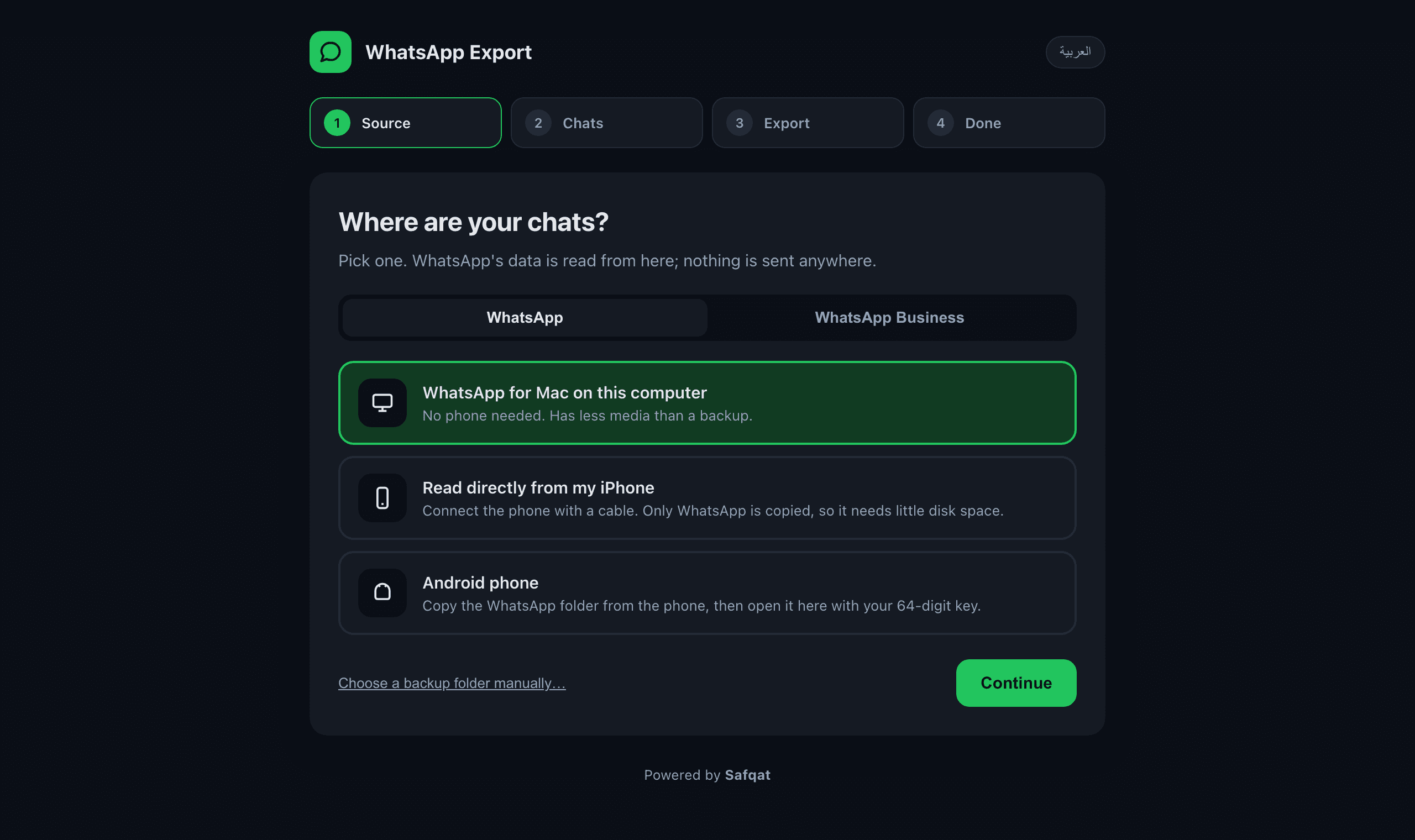
Four steps: pick where your chats are, choose chats, export, done.
What is WhatsApp Export?
WhatsApp Export is a desktop application for Mac and Windows that saves your WhatsApp and WhatsApp Business chat history outside of WhatsApp. It reads the data from an iPhone backup, directly from a connected iPhone, from an Android backup or from WhatsApp for Mac, and writes it as HTML chat pages, CSV spreadsheets and organised media folders on your computer.
It is made for people who want a permanent, searchable copy of their conversations: before changing phones, for legal or business records, to free space on the phone, or simply to keep years of family chats safe. It does not need an account, does not upload anything, and does not modify WhatsApp or the phone.
Works with whatever you have
No account, no cloud, no rooting or jailbreaking.
iPhone backup
Any backup made with Finder, iTunes or the Apple Devices app, encrypted or not.
Straight from the iPhone
No room for a full backup? Plug the phone in. Only WhatsApp is read, so it needs little disk space.
Android backup
Copy the WhatsApp folder from the phone and unlock it with your 64-digit key.
WhatsApp for Mac
Already signed in on your Mac? Export from it with no phone at all.
WhatsApp Business
Both apps are supported. Pick which one you want before exporting.
English & Arabic
The app and the exported pages handle right-to-left text properly.
What you get
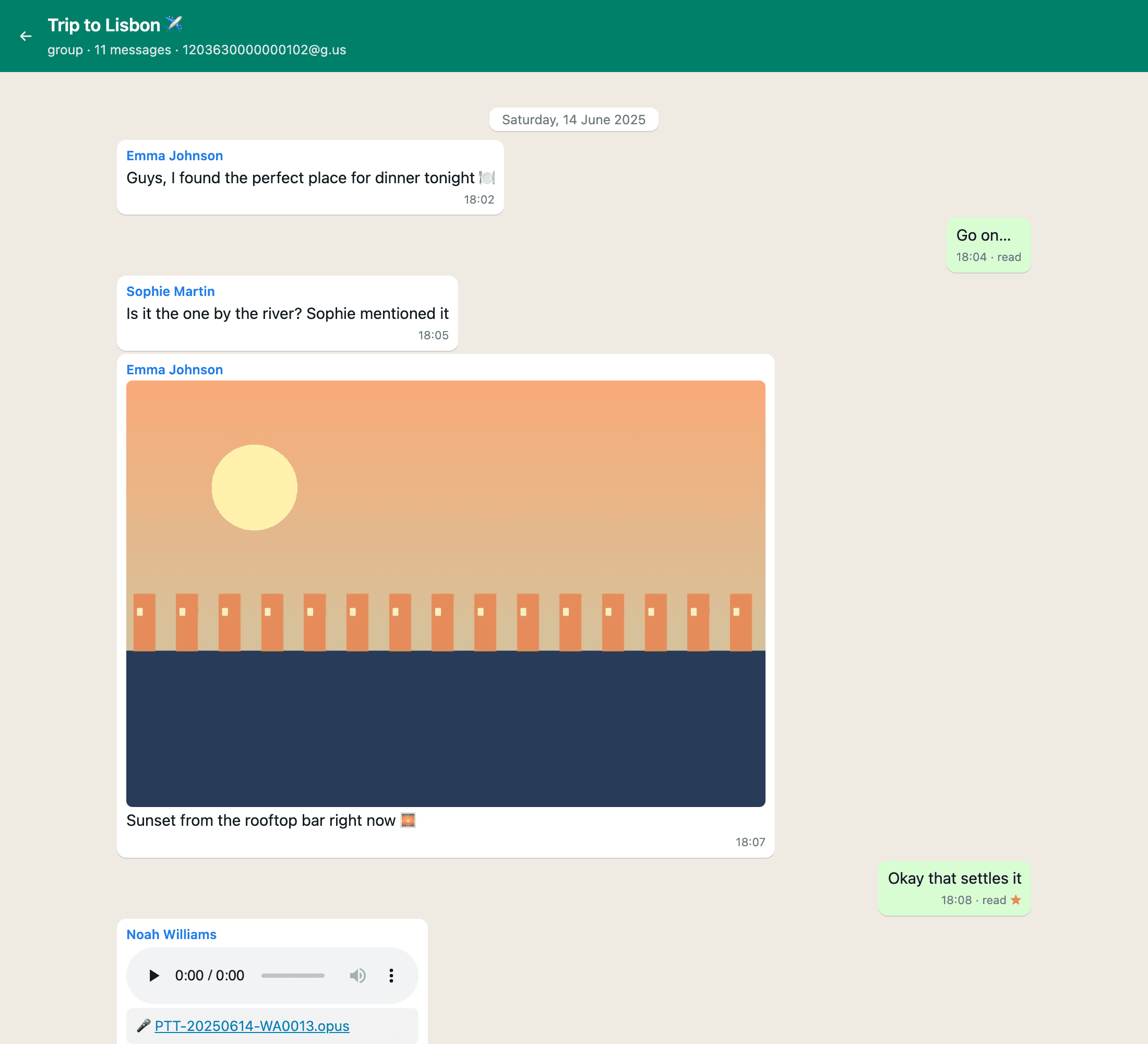
Chat pages that look like WhatsApp
One page per chat with bubbles, dates, read receipts and the real sender names. Opens in any browser, forever.
Spreadsheets for everything
A CSV per chat plus one for all chats: date, sender, text, media file, status. Search it, filter it, archive it.
All your media, organised
Photos, videos, voice notes, documents, contact cards and locations, copied into a folder per chat.
Supported sources and output formats
Reads
- iPhone backups from Finder, iTunes or the Apple Devices app (encrypted or not; the ChatStorage.sqlite database inside the backup)
- A connected iPhone over USB, keeping only WhatsApp's files (no full backup on disk)
- Android local backups (msgstore.db.crypt15, unlocked with your 64-digit end-to-end encryption key)
- WhatsApp for Mac's own database on your computer
- WhatsApp and WhatsApp Business
Writes
- One HTML page per chat, styled like WhatsApp, with sender names, dates, read receipts and stars
- CSV per chat plus a single CSV of all chats for Excel, Numbers or Google Sheets
- Photos, videos, voice notes, documents, contact cards (.vcf) and locations, copied into a media folder per chat
- An index page listing every exported chat
How it works
- 1
Pick a source
The app finds iPhone backups and WhatsApp for Mac on its own. Or connect a phone.
- 2
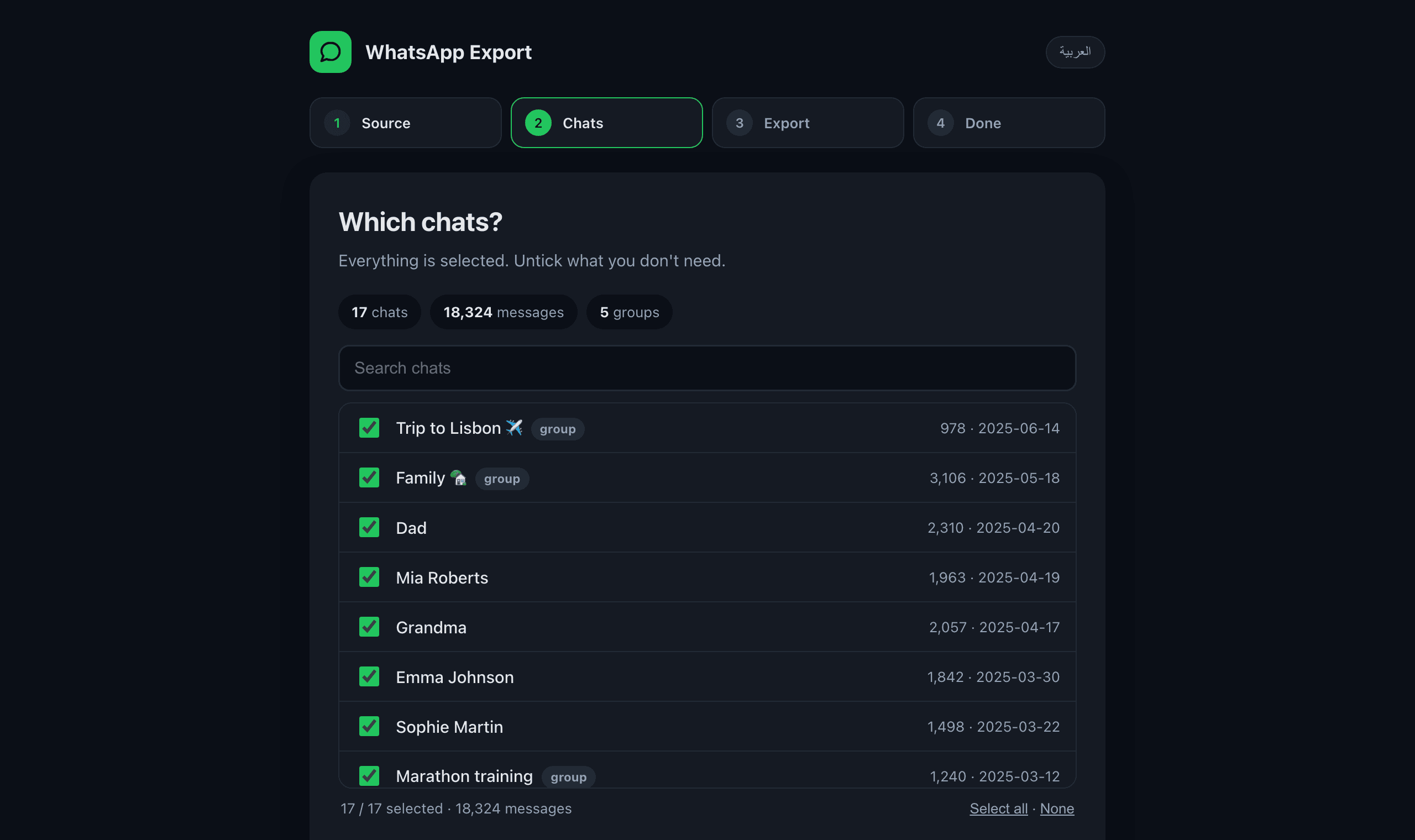
Choose chats
Everything is selected. Untick what you don't need, or search.
- 3
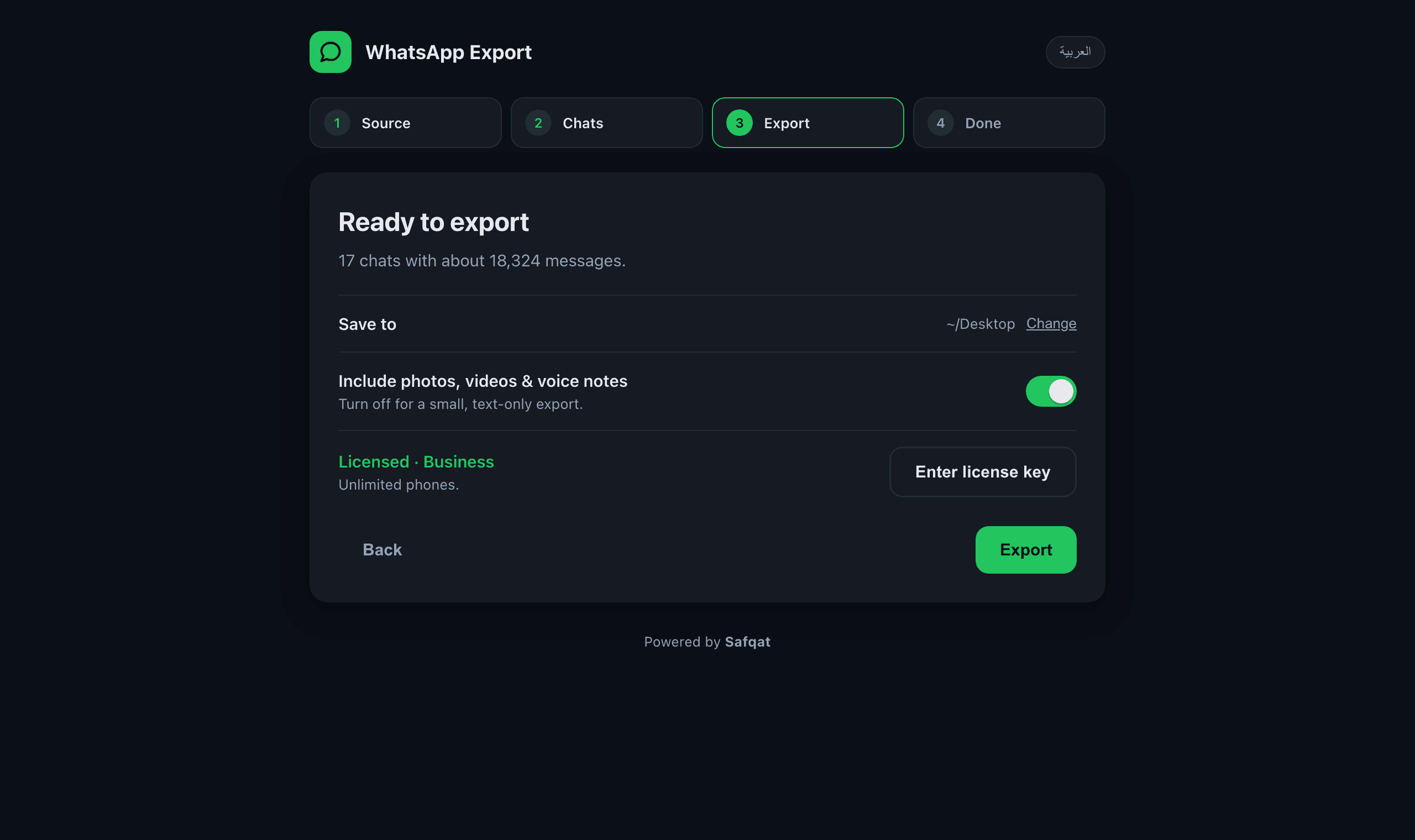
Export
Pick a folder. Pages, spreadsheets and media are written in a minute.
Simple pricing, half of what others charge
Yearly license. A phone is one WhatsApp account you export. Use it on any number of computers. Cancel anytime.
Comparable tools charge $29.99 a year for a single iPhone and don't support Android at all.
Not sure yet? The free download finds your chats and exports a preview of each one.
How it compares
| WhatsApp Export | iMazing | WhatsApp's built-in Export chat | |
|---|---|---|---|
| iPhone | Yes | Yes | Yes |
| Android | Yes | No | Yes, one chat at a time |
| WhatsApp Business | Yes | Yes | Yes |
| All chats in one go | Yes | Yes | No |
| Media included | Yes | Yes | Limited (size-capped) |
| Readable chat pages + spreadsheets | Yes | Yes | Plain text file |
| Price for one phone | $14.99 / year | $29.99 / year | Free |
| Runs on | Mac, Windows | Mac, Windows | Phone only |
Competitor prices as published on their websites in October 2026.
Private by design
- Everything runs on your computer. Chats, media and keys never leave it.
- The app only talks to Safqat to check your license. It sends no message content, ever.
- No account to create. Your license key is all you need.
Questions
Do I need the phone?
Not if you have an iPhone backup or WhatsApp for Mac. For the direct iPhone read and for Android you need the phone once, with a cable.
Is my backup encrypted? Does that matter?
Encrypted iPhone backups work fine; you enter the backup password in the app. Android backups always need the 64-digit key you turned on in WhatsApp.
Why does Android need a 64-digit key?
WhatsApp on Android encrypts its backup. The key is yours to copy from WhatsApp → Settings → Chats → Chat backup → End-to-end encrypted backup. It never leaves your computer.
What counts as a phone?
One WhatsApp account you export. Export the same phone as often as you like; it still counts once.
What happens when the year ends?
The license renews unless you cancel. If you cancel, exports you already made stay yours forever.
Does it move chats to a new phone?
No. It saves your history outside WhatsApp. For moving chats between phones, WhatsApp's own transfer is the right tool.
Save your chats today
Download, pick your chats, and keep them forever.
Mac: on first launch, right-click the app → Open. The app is not yet notarized with Apple.
Windows 10 or 11: a standard installer. If SmartScreen appears, click More info → Run anyway (the app is new and not yet signed).